
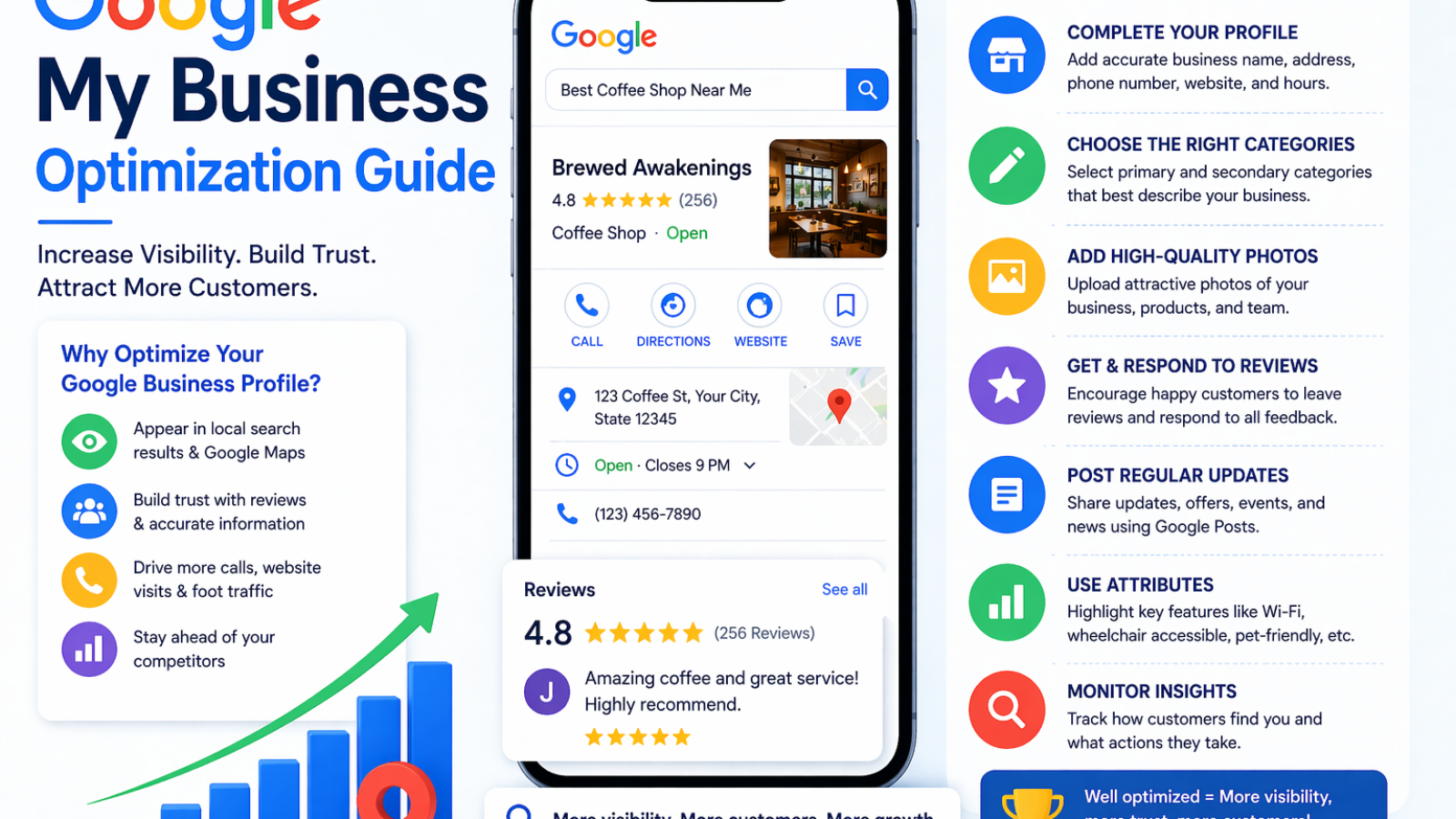
If you run a local business, your online presence can make or break your growth. One of the most powerful (and free) tools to attract local customers is Google My Business (now called Google Business Profile).
In this guide, you’ll learn how to optimize your Google listing to rank higher, get more calls, and drive more customers to your business.
🚀 What is Google My Business?
Google My Business (GMB)—now known as Google Business Profile—is a free tool that allows businesses to appear in:
- Google Search results
- Google Maps
- Local “3-pack” listings
👉 It helps customers find your business, contact you, and trust your brand.
🔥 Why Google Business Profile is Important
- 📍 Improves local visibility
- 📞 Increases calls and inquiries
- ⭐ Builds trust with reviews
- 🚶 Drives foot traffic to your store
- 💰 Boosts conversions without ad spend
✅ Step-by-Step Google My Business Optimization
1. 📝 Claim & Verify Your Listing
First, claim your business on Google and complete verification.
👉 Without verification, your business won’t appear properly in search results.
2. 🧾 Complete Every Detail (100% Profile Optimization)
Google rewards complete profiles.
Make sure to fill:
- Business name
- Address & location
- Phone number
- Website
- Business hours
- Categories
👉 Accuracy and consistency are key.
3. 🎯 Choose the Right Business Category
Your primary category directly affects your ranking.
👉 Example:
- Digital Marketing Agency
- SEO Services
- Advertising Agency
👉 Add relevant secondary categories for better reach.
4. 📸 Add High-Quality Photos & Videos
Profiles with photos get more clicks and engagement.
Add:
- Office/store images
- Team photos
- Product/service visuals
- Before/after results
👉 Update regularly to stay active.
5. ⭐ Get More Customer Reviews
Reviews are one of the biggest ranking factors.
How to get more reviews:
- Ask happy customers
- Share review links
- Offer great service
👉 Always reply to reviews (positive & negative).
6. 💬 Use Keywords in Your Description
Write a compelling business description using relevant keywords.
Example:
👉 “We provide SEO services, social media marketing, and Google Ads management…”
👉 This helps your profile rank for local searches.
7. 📢 Post Regular Updates
Use Google Posts like social media.
Post:
- Offers & discounts
- New services
- Blog updates
- Events
👉 Active profiles rank higher and attract more users.
8. 📍 Enable Messaging & Call Features
Make it easy for customers to contact you.
Enable:
- Direct messaging
- Call button
- Booking options
👉 Faster response = higher conversion.
9. 🧠 Add FAQs (Questions & Answers)
Pre-answer common customer questions.
Examples:
- What services do you offer?
- What are your working hours?
- Do you provide free consultation?
👉 This builds trust and saves time.
10. 📊 Track Performance & Insights
Use Google insights to analyze:
- Search queries
- Customer actions
- Calls & clicks
- Profile views
👉 Optimize based on real data.
🚫 Common Mistakes to Avoid
❌ Incomplete profile
❌ Wrong business category
❌ Ignoring reviews
❌ Low-quality images
❌ No regular updates
👉 Fix these to improve rankings fast.
💡 Pro Tips for Higher Rankings
✔ Use local keywords (city/area name)
✔ Maintain NAP consistency (Name, Address, Phone)
✔ Get backlinks from local websites
✔ Keep updating photos & posts
✔ Stay active and responsive
🚀 Final Thoughts
Optimizing your Google Business Profile is one of the easiest and most powerful ways to grow your local business.
With the right strategy, you can:
- Rank higher on Google
- Get more leads and calls
- Build trust with customers
📢 Want to Rank #1 Locally?
At Saifee Digital, we help businesses:
- Optimize Google Business Profiles
- Improve local SEO rankings
- Generate more local leads
👉 Let’s grow your business with proven strategies.
🔚 Conclusion
Your customers are searching for your services right now.
Make sure they find YOU, not your competitors.
Start optimizing your Google Business Profile today and turn local searches into real customers.
Add a Comment